WordPress Ecommerce Plugins: WooCommerce, EDD, and SureCart Compared
Compare WooCommerce for shipping, inventory, and a varied catalog; Easy Digital Downloads (EDD) for downloadable books, resources, or software; and SureCart for commerce connected to an external cloud platform. All three offer a free starting point, but payment charges, extensions, and operating models differ. Evaluate delivery, refunds, and migration as well as the product page.
Start with what the customer receives
Adding a purchase button is only part of operating a store. You need an order record, payment verification, shipping or file access, and a way to handle enquiries and refunds. Pick one representative product and describe what happens after payment. A shirt needs variant stock and shipping; a PDF needs download permissions and file updates; a recurring service needs renewal and cancellation rules.
Distinguish downloadable products from member-only reading. Delivering a PDF and allowing access to articles during a subscription use different access models. If the latter is central, also examine membership plugins and access periods. If you only collect order enquiries, assess whether a complete storefront is necessary yet.
WooCommerce, EDD, and SureCart compared
| Candidate | Primary use to evaluate | Decision points |
|---|---|---|
| WooCommerce | Physical and downloadable products, variants, inventory, and shipping | Free core versus payment, subscription, and shipping extensions; hosting maintenance |
| Easy Digital Downloads | Books, templates, files, and software downloads | File protection, expiry and limits; recurring and licensing extensions; gateway application fees |
| SureCart | Commerce combining a plugin and a cloud platform | Platform fees, external accounts and service dependency, and data exports |
Advertising subscriptions, taxes, or international payments does not establish immediate support for every country, currency, and selling arrangement. Check your payment provider's business onboarding and payout requirements first. Prepare the disclosures, tax configuration, and customer-service arrangements relevant to the markets you serve. A plugin's calculation feature does not resolve every selling obligation.
WooCommerce: inventory and shipping alongside sales
The free WooCommerce core provides a foundation for physical, virtual, and downloadable products, variants, and order management. Subscriptions, bookings, and membership services may need extensions. Managing the store yourself also means maintaining hosting, updates, backups, and compatibility between extensions.
- Set the store location, currency, and selling regions during setup, then review them under WooCommerce → Settings. Prepare the intended gateway and its test environment.
- Use Products → Add New to enter the name, included items, price, images, and relevant variations and stock. Mark files as Downloadable and products that do not need shipping as Virtual, according to what you actually sell.
- For physical goods, configure regions and methods at WooCommerce → Settings → Shipping → Shipping zones. Test both an address you serve and one you exclude.
- After ordering, inspect WooCommerce → Orders for payment and processing state, then separately verify shipment or file delivery.
Shipping zones match from the top down, using the first matching zone. Put a special postcode-based free-delivery area above a broader nationwide zone. If shipping costs look wrong, check which zone matches the address before simply changing the amount.
For files, check WooCommerce → Settings → Products → Downloadable products. The downloadable-product guide describes Redirect only as exposing the file URL. Force downloads and X-Accel-Redirect/X-Sendfile depend on server support and configuration; NGINX needs explicit direct-access protection. Linking a file uploaded through the ordinary media library does not make it purchaser-only.
Easy Digital Downloads: focus on file sales
EDD manages products, payments, customers, and delivery around downloadable material. It is a candidate for ebooks and design resources where physical shipping is unnecessary. Distinguish the free foundation from Pro and extensions for software licence keys, recurring payments, and related features.
Follow the product-creation guide: under Downloads → Add Download, enter a description, price, file name, and File URL. Set download limits and link expiry to suit the product. Explain the format, required software, and permitted use so buyers understand what they will receive.
Review gateways and test mode at Downloads → Settings → Payments. As the payment settings guide explains, choosing a default gateway is separate from connecting its account. A card logo does not establish working payment processing. Use test mode with the gateway's sandbox or test account to verify the connection between an order and its downloads.
Check file storage and server protection too. EDD's NGINX guidance explains that its default .htaccess protection is intended for Apache; NGINX requires separate configuration. Confirm the correct protection with your host and test direct file access from a non-purchaser session. Making a URL hard to guess is not a replacement for access control.
SureCart: commerce connected to a cloud service
SureCart combines a WordPress plugin with an external commerce platform. Payments, subscriptions, and checkout connect to its cloud services, so do not assume that every order record and operation lives exclusively on your WordPress server. Account access, service terms, outages, and an exit plan belong in the decision.
Configure the product, pricing, and fulfillment at SureCart → Products and connect a checkout. Instant Checkout supplies a direct purchase link for a product. The first-sale guide explains enabling Test Mode in the product's Instant Checkout menu and saving before testing. Before live sales, review each product's mode and the live payment-provider connection.
A test success message does not always prove a stored order exists. The test-payment guide states that with Test Mode Restricted enabled, non-administrators can see a success popup without creating test-order records. Check the screen, stored order, and payment environment separately.
For exports, start at SureCart → Settings → Data Export, select the data type, and continue to the service dashboard. The CSV export guide covers orders, customers, subscriptions, refunds, products, prices, and other records. Exportability does not mean another plugin can immediately continue the same subscription. Open the file and check the identifiers and states needed for migration.
Separate free installation from selling costs
In the EDD Stripe comparison checked in October 2026, Free and Personal carry a 3% additional transaction fee. Removing it through Extended or higher has conditions including a valid active licence. The payment provider's processing charges remain separate. Buying a paid edition alone does not establish that every additional fee disappears.
At the same time, SureCart's pricing lists Launch at $0 plus a 2.9% transaction fee and Pro without the platform transaction fee. That does not remove the payment processor's charges. Check the current signup or renewal terms rather than relying on older references to 1.9%.
Compare the same period: annual hosting, licences and extension renewals, plus platform charges based on sales, plus processing costs. Use the product types, features, sales volume, and order count you actually expect. Do not mix discounted first-year prices with renewal prices. A free core may provide the lowest operating cost, but required extensions and support can change the result.
Verify order receipt, payment, and delivery separately
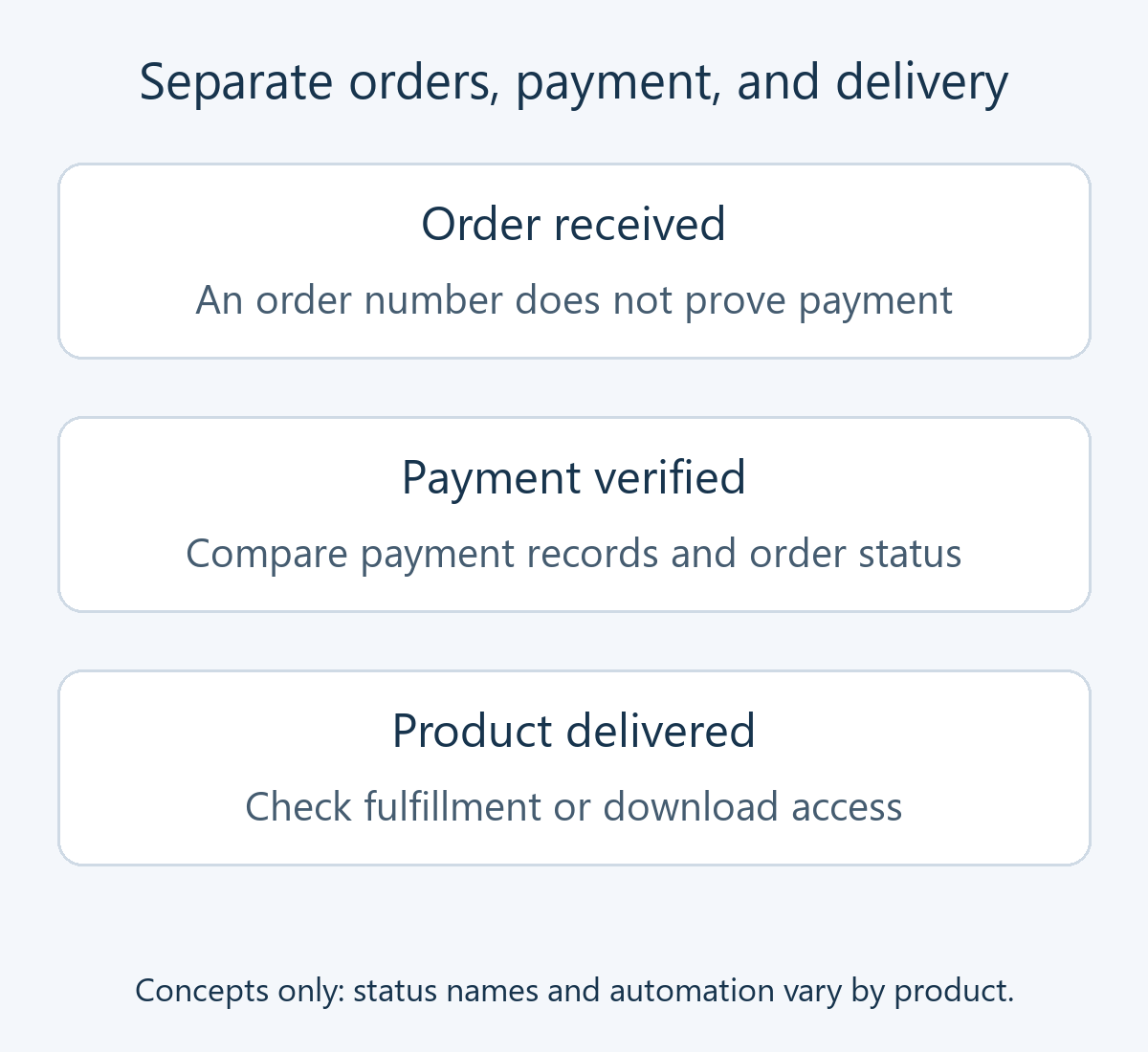
An order number does not prove payment, and payment does not prove shipment. In WooCommerce's order-status documentation, Pending payment means unpaid, Processing means paid and awaiting fulfillment, and Completed means fulfilled. On hold can require further payment confirmation. Automatic transitions depend on the product and payment method.
The diagram separates these three concepts; it does not imply that every product uses identical screens or needs manual processing at every stage. Even automated delivery needs matching payment and access records.
- Successful purchase: follow one product through mobile checkout, the administrator order, provider records, receipt, and actual shipping or download. Displayed prices, shipping, taxes, and the final charge must agree.
- Failure, abandonment, and retries: use a test environment to check failed payments, leaving authentication, returning, and refreshing. Check duplicate orders or charges and stock restoration.
- Files and accounts: verify purchaser links, download counts and expiry, and access from non-purchasers or another customer. Decide how replacing a file affects previous buyers.
- Cancellation and refunds: check full and partial refunds and subscription cancellation. Distinguish features such as WooCommerce's Manual Refund, where a refunded order record does not itself return the customer's money.
- Recovery and migration: verify backups and exports of orders, customers, files, and settings. Plan how to reconcile orders received after a backup instead of overwriting them with an older database.
Check shared-cache exclusions for carts, checkout, and customer pages, using two customer sessions to detect mixed information. If an order exists without an email, investigate sending and delivery separately. Check the existing charge before asking a customer to pay again.
Before installation or updates, prepare file and database backups and an isolated restore test. For a cloud platform, retain service exports alongside local backups. Separate staging from live payments and customer emails. If problems occur, be ready to pause new orders and recover while preserving existing orders and payment-provider records.