WordPress Multilingual Plugins: Polylang, TranslatePress, and Weglot
Compare Polylang for independently edited language posts, TranslatePress for selecting and translating text on the page, and Weglot for automatic translation and review through an external service. Look beyond initial translation speed to language URLs, editorial work, recurring costs, and migration. On an existing multilingual site, preserve current addresses and translation data before changing systems.
Multilingual management is different from automatic translation
A multilingual plugin manages language content, addresses, and switching. Machine translation changes text into another language and may be included or connected separately. A language menu alone does not verify translated articles, categories, forms, or search metadata.
For example, an English edition of a Korean guide needs more than a translated body. Review its category, menu, buttons, text inside images, alternative text, and form success/error messages. A store also needs appropriate product, stock, price, order, and email integration; that is a broader requirement than linking blog articles.
The diagram below illustrates management approaches, not product interfaces. Data from different approaches is not automatically interchangeable, so assess the editorial workflow and storage together.
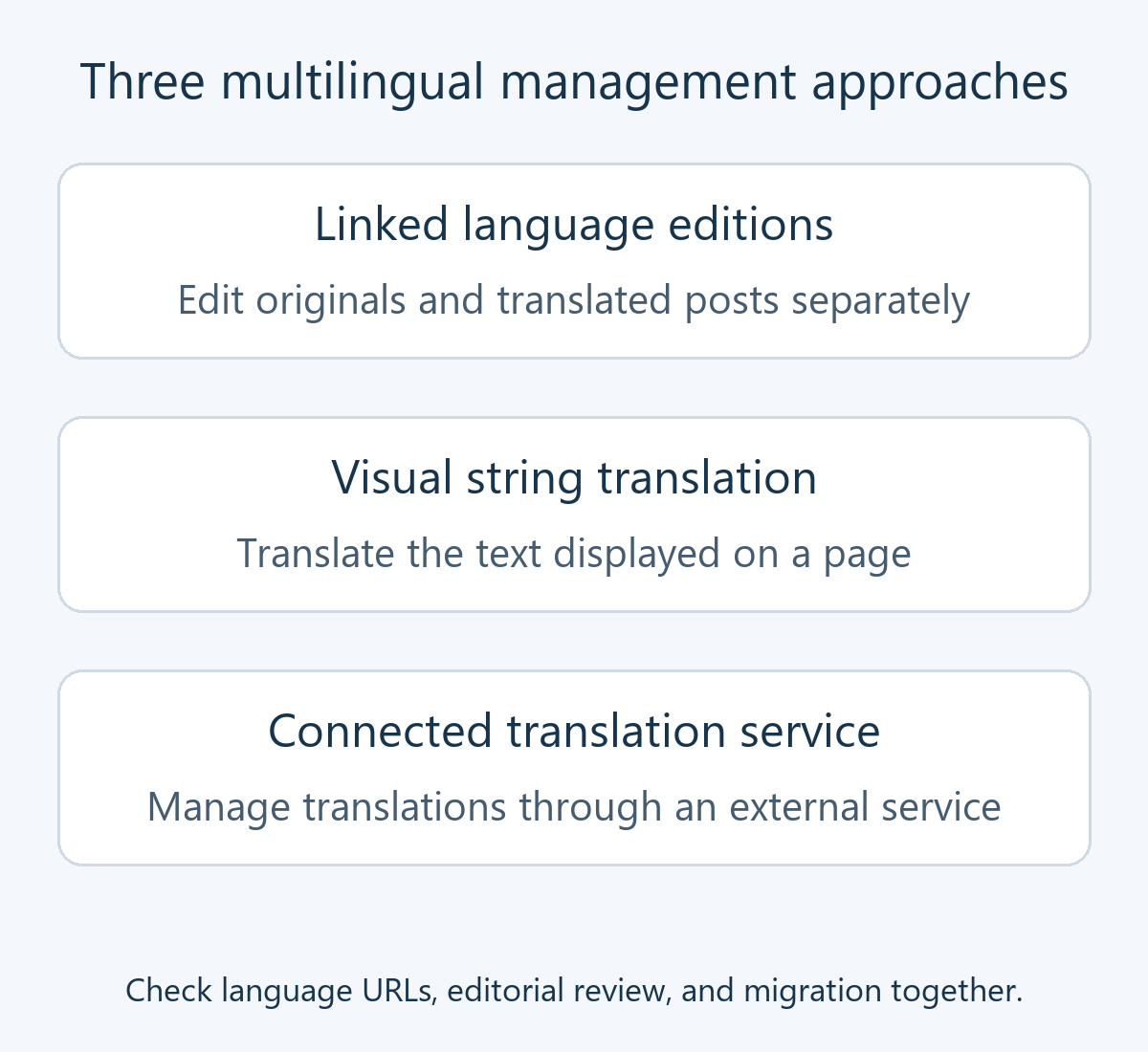
Compare Polylang, TranslatePress, and Weglot
| Candidate | Editing approach | Basic or free scope | Additional conditions |
|---|---|---|---|
| Polylang | Linked language posts, classifications, and menus | Multiple languages, core content relationships and switching | Pro synchronization, DeepL, and editor features; paid WooCommerce integration |
| TranslatePress | Translate displayed strings visually | Original language plus one translation language; manual translation | Extra languages and SEO Pack are paid; check automatic-translation allowances and API costs |
| Weglot | Generate and edit translations in a connected service | Service plan applies separately from plugin installation | Words, languages, API allowances, cancellation, and export |
Polylang: assign languages and link the corresponding content
Each language post is edited separately in WordPress, allowing adaptation for its readers. That also requires an editorial process for updating translations after changes. The free core should not be assumed to translate every manuscript automatically. Pro currently adds features including DeepL translation, duplication, and synchronization; WooCommerce requires checking the separate integration product.
The setup wizard assigns languages and the language of existing content. If skipped, reopen it under Languages → Setup. Existing posts or classifications disappearing from the public view may lack language assignments rather than having been deleted.
Use the language panel in the editor to assign the original, add a translation, or link an existing translated post. Similar titles do not create a translation relationship. Follow the post and taxonomy translation guide and review corresponding categories, tags, menus, and the switcher.
TranslatePress: distinguish visible text from SEO coverage
Choose the original and target languages under Settings → TranslatePress. Open Translate Site from the admin bar or settings screen. The translation editor guide explains selecting visible strings and saving translations. This workflow can help review theme output, buttons, and page-builder content in context.
The free version supports the original language plus one translation language. Compare paid extra languages and the SEO Pack for metadata, URL slugs, image alternative text, and related SEO elements. A translated body does not establish that the search title and description are translated too.
Separate manual translation from TranslatePress AI allowances and Google or DeepL API charges. With automatic translation enabled, page text is sent to the selected service, potentially triggered by visitor page views. Translation data is stored in the site database; include its dedicated tables in backups. The official FAQ explains how source-string edits can require renewed translation. Check whether the intended translation still applies after editing.
Weglot: evaluate service limits and what happens after cancellation
Weglot connects WordPress to an external account. Follow the WordPress integration guide to configure a WordPress project, original and target languages, and the API key in Weglot settings. Language controls may be managed through the service project depending on the interface; compare current instructions with the screen.
Weglot provides language URLs without creating separate translated posts in the WordPress post list. Review translations through its list or visual editor. The plan allowances concern the total translated-word collection, rather than simply a fresh monthly translation budget. Multiple target languages affect that allowance, so estimate existing material and future growth.
Import and export currently require Advanced or higher. The cancellation guide explains that stopping service can stop translated display and lead to gradual removal of translated pages from search results. Exported text pairs are not automatically ready-made pages in a replacement system. Plan import, continued URLs, and public availability before cancellation.
Inspect language URLs and search information
A language URL lets readers and search engines reach a particular language edition directly. Changing an established default-language prefix, domain, or slug can affect internal references and indexed addresses. Map old and new addresses before choosing a different structure.
hreflang identifies alternate language or regional versions; canonical signals the preferred representative URL. The Google localized-page guide calls for self-references and reciprocal alternate relationships. Do not confuse those roles by routinely canonicalizing fully translated editions to the Korean original. These annotations do not guarantee indexing or rankings.
When combining multilingual tools with an SEO plugin, inspect the actual titles, descriptions, language canonicals, hreflang, and sitemap output. Editorial translation review matters too: check omissions, negation, numbers, policies, and internal-link languages. Supported languages do not establish accurate translation.
Evaluate one connected content set before adoption or migration
- Define the scope. Specify languages, articles, categories, menus, forms, images, products, and editorial ownership. For automatic translation, check transmitted content and spending allowances.
- Create a test set. Translate an ordinary article and one with tables, images, or forms, together with navigation and classifications. Do not activate competing multilingual systems together.
- Check corresponding destinations. Switching from a Korean article to English should open its English edition where available. Decide how untranslated content is handled rather than accidentally sending every switch to a homepage.
- Verify visitor-facing functions. While logged out and on mobile, inspect buttons, errors, confirmations, image text, dates, units, and internal links. Stores need separate checks of orders, emails, and stock in an appropriate payment-test environment.
- Check search output and updates. Open each address directly and inspect metadata and sitemaps. Change a test source string, verify the translation-update process, then restore it.
- Verify backup, migration, and recovery. Include manuscripts, relationships, dedicated tables, settings, and service exports. Preserve existing URLs or plan necessary redirects, then test restoration separately.
For mixed-language output, check assignments, translation relationships, menus, and categories before examining page caching. Deactivating a plugin, deleting a language, and canceling a service have different effects. For example, deleting a Polylang language affects assignments, translation relationships, and string translations even though the posts themselves are not deleted. Do not test deletion on the live site before preserving the required data and addresses.
Include editorial labor, extra languages, SEO coverage, commerce integration, and eventual migration in the cost assessment. Start with separate-entry management when editorial independence matters, visual translation when displayed strings need contextual review, or service integration when that operating model fits your needs.