WordPress vs Tistory: Costs, AdSense, Control, and Migration
If your priority is to start writing quickly without managing a server, Tistory is the simpler choice. If you need greater control over design, features, and long-term operations, self-hosted WordPress may be a better fit—but it also gives you more work to maintain. Before comparing them, distinguish the hosted WordPress.com service from a self-hosted site built with WordPress.org software.
First, what do we mean by “WordPress”?
WordPress.com includes hosting. With self-hosted WordPress, you obtain hosting separately and install the open-source WordPress software there. These options may offer a similar publishing interface, but they differ in pricing, server responsibility, and the conditions for adding features. Unless stated otherwise, “WordPress” in the comparison below means self-hosted WordPress. See WordPress.com's explanation of hosted and self-hosted WordPress for the distinction.
WordPress vs Tistory at a glance
| Factor | Self-hosted WordPress | Tistory |
|---|---|---|
| Setup and upkeep | You choose and maintain hosting, a domain, installation, security, and backups. | You can start without arranging separate hosting; Tistory operates the underlying service. |
| Costs | The software is free, but hosting, a domain, and optional paid tools may cost money. | No separate hosting contract is needed for basic use. A custom domain or external services may add costs. |
| Design and features | Themes, plugins, and code offer broad flexibility, alongside compatibility and maintenance responsibilities. | You can edit a skin's HTML and CSS, within the features and rules of the hosted service. |
| Ads and monetization | You manage implementation and placement within your host's terms and the ad network's policies. | You can connect ad services, but Tistory's advertising rules also apply. |
| Portability | WordPress has a built-in export tool; moving media and configuration still requires care. | Before migrating, check the current backup/export options and how images and URLs will transfer. |
This is not a scorecard. The core trade-off is convenience versus control: who operates the infrastructure, and who is responsible when something needs changing or fixing?
Costs: free software is not the same as a free website
Self-hosted WordPress software is free, but web hosting and a domain are separate. Premium themes, plugins, backup services, or developer support can raise the total. You can keep those costs lower by using fewer paid extensions and handling more maintenance yourself. WordPress.org's hosting guide explains the hosting requirement.
Tistory lowers the initial barrier because it does not require a separate server contract. A custom domain or connected service can still carry a cost; Tistory provides official custom-domain instructions (in Korean). For a fair comparison, estimate a year's domain, hosting, paid tools, and maintenance time—not just the amount needed on day one.
Design and features: more freedom also means more maintenance
Self-hosted WordPress can be extended with themes and plugins for bookings, memberships, stores, and multilingual pages. The operator must also manage updates, plugin conflicts, security, and backup restoration. The practical question is not only “Can I build this feature?” but also “Can I keep it working?”

Tistory's editor and skins make a content-focused blog relatively quick to set up. Its skin HTML and CSS editing guidance (in Korean) shows that some customization is possible. That is different from having unrestricted access to server-side functionality or changing the service's policies. If a specialized feature is central to your project, verify that it is supported before committing to the platform.
WordPress.com is a third option, not a synonym for self-hosting. According to its current plugin documentation, plugin installation is available on paid plans but not the free plan. Avoid assuming that every WordPress site has the same plugin access or that only one particular high-tier plan allows it.
AdSense: compare approval, ad control, and net return separately
Choosing WordPress or Tistory does not, by itself, guarantee Google AdSense approval. Google checks site ownership and policy compliance, and says ads can run only after the site passes review and reaches a “Ready” status. Its site-management guidance and pre-application content guidance emphasize original, useful content and clear navigation. Reaching an arbitrary post count is not an approval guarantee.

Tistory: straightforward integration, additional platform rules
Tistory documents AdSense connection and ad settings (in Korean), along with ads.txt and account-linking guidance (in Korean). Connecting your own AdSense account does not mean you control every ad location or format. Tistory also announced its own service ads in 2023 (in Korean). Check how your ads and any platform ads appear together on the actual page.
In 2025, Tistory announced restrictions on anchor and offerwall ads (in Korean) and mobile vignette ads (in Korean). Even if an AdSense auto-ad format is enabled in your Google account, you must disable formats the host does not allow. Review the latest Tistory notices when configuring ads, as platform rules and interfaces can change.
Self-hosted WordPress: wider placement options, direct responsibility
On a self-hosted WordPress site, you can use a theme, plugin, or code to place verification code and manage ad units. Depending on your hosting access, you can also manage ads.txt, placement, site speed, and mobile layout more directly. None of that makes approval automatic. Google explains that the site must permit access to its HTML for AdSense setup and offers guidance for sites built with a content-management system.
More control is not permission to ignore Google's AdSense Program policies or ad-placement policies. Ads should not look like article content or buttons, or be positioned to encourage accidental clicks. Hosting terms and applicable privacy obligations also need separate attention.
To compare potential earnings, consider hosting and domain fees, paid tools, maintenance time, the effect of platform ads, and the reader's experience alongside AdSense revenue. Audience, advertiser demand, and placement all affect results. Neither “WordPress always earns more” nor “Tistory always earns more” is a reliable general rule.
SEO: will switching platforms raise rankings?
Moving to WordPress does not automatically improve search rankings. Its search-engine optimization (SEO) tools can help manage titles, URLs, and sitemaps, but installing a tool does not guarantee results. Google Search Essentials discusses technical eligibility, spam policies, and useful content. On either platform, answer readers' questions and ensure search engines can access the pages.
A move can temporarily disrupt existing search traffic, especially if URLs change. Map old pages to new ones and check redirects, internal links, and canonical URLs. Google's site-move guide explains these steps and notes that search performance can fluctuate during migration.
Owning your content and moving it are different questions
Using a hosted blog does not automatically transfer copyright in your writing to the host. Tistory's terms notice (in Korean) says members retain copyright in their posts. But content ownership is distinct from control over server settings, export formats, and URLs.
WordPress's built-in exporter produces an XML file containing posts, pages, comments, and other data. See the WordPress export documentation for its scope. Do not assume that media files, theme settings, plugin configuration, and redirects will all transfer perfectly without extra work. If you expect to leave Tistory later, test the currently available backup/export options, image paths, formatting, and URLs with a small sample first.
Which platform fits your plans?
- Choose Tistory when you want to start publishing promptly, have little time for server maintenance, and can meet your goals within the service's features and rules.
- Choose self-hosted WordPress when you need substantial control over a long-term branded site and can budget time or money for hosting, updates, security, and support.
- Consider WordPress.com when you want a WordPress publishing experience without managing your own hosting. Check the plan requirements for the specific features you need.
Before deciding, write down five things: your annual budget, three essential features, weekly maintenance capacity, intended ad or sales model, and likelihood of migrating later. If you have almost no maintenance time, do not choose self-hosting solely because it offers more features. If service rules conflict with a core business requirement, do not choose a hosted platform solely because setup is easier.
Frequently asked questions
Can I keep my search rankings if I move from Tistory to WordPress?
There is no guarantee. If URLs change, plan the old-to-new URL mapping, feasible redirects, internal links, and indexing checks. Search traffic can fluctuate after the move.
Do I need to code to use WordPress?
Not for basic publishing. A self-hosted site does require someone to understand and handle hosting, updates, and backups. Specialized custom features may call for development skills or outside help.
Is one platform better for AdSense approval?
The platform name alone is not a sound basis for predicting approval. Focus first on the site's content, navigation, ownership verification, and policy compliance. After approval, each platform's permitted ad formats and operating costs become more important differences.
Should I use a custom domain from the start?
It is optional, but worth considering if you may change platforms later. A custom domain does not make migration effortless: URL structure and redirects still need careful planning.
Bottom line: Tistory is the simpler starting point when low-maintenance publishing matters most. Self-hosted WordPress is more suitable when you need extensive control and can take responsibility for its upkeep. On either platform, useful content, sound technical operation, and policy compliance matter more to search and monetization outcomes than the platform name alone.
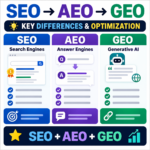
SEO vs. AEO vs. GEO / Key Differences and How to Use Them
Compare SEO, answer engine optimization, and generative engine optimization, then learn how clear answers, credible evidence, and useful structure support all three.

Does Mass-Produced AI Content Hurt Search Rankings? Google and Bing Policies
AI-assisted content is not penalized simply because AI was used. Learn how Google and Bing treat scaled content, which publishing patterns create risk, and how to build a responsible review workflow.

Google Analytics / How to Exclude a Specific IP Address in GA4
Exclude your home, office, or development traffic from GA4 by defining internal IP addresses and testing an exclusion data filter before activation.
How to Convert Images to WebP / PhotoScape X and Online Tools
Learn how to convert JPG and PNG images to WebP with PhotoScape X or a browser-based tool, choose a useful quality setting, and avoid common publishing problems.

WordPress vs Tistory: Costs, AdSense, Control, and Migration
Compare WordPress and Tistory on cost, maintenance, AdSense approval and ad rules, search visibility, and portability. Use practical criteria to choose the right blogging platform for your plans.